



Read More

Seen this product cheaper elsewhere?
Call 0345 2300 599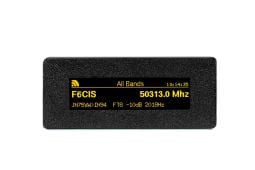

TopBytes DXSpotter PRO - Touch Screen DX Cluster Display
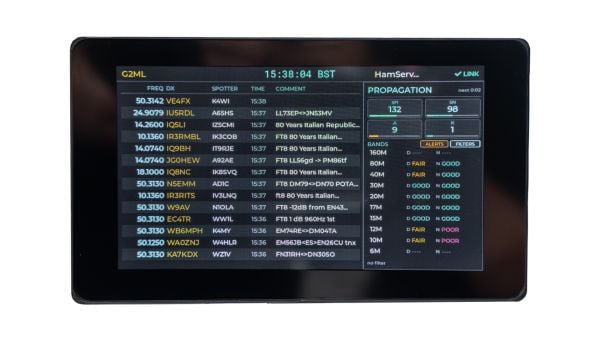
The TopBytes DXSpotter PRO is a compact, WiFi-enabled touch screen DX cluster display designed to bring real-time DX spot information straight into your shack - without needing a PC, laptop or tablet running all day.
Simply add USB power and connect to WiFi, and you have a dedicated DX “radar screen” for your favourite bands. The PRO version takes everything that made the original DXSpotter so useful and improves it with a larger touch screen display, clearer spot layout, propagation information and an even easier-to-read interface.
What is DXSpotter PRO?
DXSpotter Pro takes everything operators loved about the original and puts it on a vivid 7-inch, 800x480 colour touchscreen, bright enough to read from across the shack and driven entirely by your fingertip. Watch DX cluster spots stream in live over WiFi, see live HamQSL solar and per-band propagation alongside them, and tap any band, mode, or callsign to filter on the fly.
Set up to 10 callsign or prefix alerts and the screen will flash amber and pop up a full detail the moment your rare one hits the cluster no laptop, no app, no missed contact. Everything configures right on the device through an on-screen wizard (with a built-in web portal for power users), settings survive reboots, and over-the-air updates keep firmware fresh automatically.
Powered from a single USB-C cable, mountable on any camera tripod, and built on open standards, DXSpotter Pro is the DX cluster monitor your station has been waiting for.
Key features
- Compact, dedicated DX cluster display for amateur radio stations
- Larger touch screen display for easier operation and viewing
- Built-in WiFi - connects to your home or portable network
- Works with standard Telnet-based DX clusters
- Shows frequency, call sign, spotter, time and comment in a clear layout
- Displays propagation details to help monitor band conditions
- Easy-to-read screen ideal for use in the shack or portable setup
- No PC, laptop or tablet required once configured
- Web-based configuration - no special software required
- Band and frequency filtering so you only see the spots you care about
- Stores settings in non-volatile memory so it remembers everything after power off
- USB powered - ideal for the shack, field days and portable operation
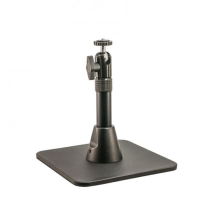
- Tripod mount on the bottom for flexible positioning and mounting
Typical uses
Shack monitor - keep DXSpotter PRO on the desk and watch band openings without tying up a PC screen.
Contest support - track activity, monitor spots and spot new multipliers more easily.
Portable and field days - run it from a USB power bank and connect via campsite WiFi, mobile hotspot or portable router.
Learning tool - great for newer operators who want to see how different HF bands behave and how propagation changes throughout the day.
Simple setup
- Power the DXSpotter PRO from a suitable USB supply or power bank.
- Connect to its built-in WiFi access point and open the configuration page.
- Select your WiFi network and enter your details.
- Choose your preferred DX cluster and settings.
- Save and reboot - live spots will begin to appear once band activity is present.
Why choose DXSpotter PRO?
If you want a neat, low-power and easy-to-read way to keep an eye on DX activity and band conditions, the TopBytes DXSpotter PRO is a superb addition to any modern shack. With its larger touch screen display, improved spot layout, propagation details and tripod mount, it is the upgraded DX display for operators who want quick access to live DX information without leaving a computer running.
The TopBytes DXSpotter PRO is designed for operators who want a cleaner, more convenient way to monitor live DX activity from the shack, contest desk or portable station.
Instead of relying on a computer screen, tablet or phone, the DXSpotter PRO gives you a dedicated display for live DX cluster information, propagation details and useful filtering tools - all presented on a large, easy-to-read 7-inch colour touch screen.
A Dedicated DX Display For Your Shack
DXSpotter PRO gives you a permanent “at a glance” view of what is happening on the bands. Place it next to your radio, tuner, amplifier or logging computer and keep track of live spots without taking over your main operating screen.
It is ideal for operators who want to quickly see:
- Frequency
- DX call sign
- Spotter call sign
- Time
- Comments
- Band activity
- Propagation information
Larger 7-Inch Touch Screen
The PRO version features a vivid 7-inch, 800 x 480 colour touch screen, making it much easier to read than smaller display-based units.
The larger screen gives you a clearer layout, better visibility from across the operating position and a more modern way to interact with the device. Filtering and control can be handled directly from the screen, helping you focus on the spots that matter most.
Live DX Cluster Spots Over WiFi
DXSpotter PRO connects to standard Telnet-based DX clusters over WiFi and displays live spots as they appear.
This gives you a simple, self-contained way to monitor DX activity without needing to leave a PC, laptop or tablet running all day. Once set up, the unit can sit on your desk as a dedicated DX monitoring screen.
Band, Mode And Callsign Filtering
Not every spot is relevant to every operator. DXSpotter PRO helps reduce clutter by allowing you to filter what appears on screen.
You can focus on the bands, modes or callsigns you are most interested in, making it easier to spot useful activity quickly.
This is especially handy for:
- DX chasing
- Award hunting
- Contest operating
- Monitoring favourite HF bands
- Keeping an eye out for rare prefixes or stations
Callsign And Prefix Alerts
DXSpotter PRO includes alert options for callsigns or prefixes, helping you avoid missing important activity.
Set up alerts for the stations, countries or prefixes you care about and the unit can highlight matching spots when they appear on the cluster.
Propagation Details Built In
As well as showing live spots, DXSpotter PRO also displays useful propagation information to help you understand current band conditions.
This makes it easier to see how the bands are behaving throughout the day, when openings may be developing and which bands might be worth trying next.
Simple Setup And Configuration
DXSpotter PRO is designed to be straightforward to set up and use.
Basic setup process:
- Power the unit using a suitable USB-C power supply or USB power bank.
- Connect to the built-in WiFi access point.
- Open the configuration page.
- Select your WiFi network.
- Choose your preferred DX cluster and settings.
- Save and reboot.
Once connected, the DXSpotter PRO will begin displaying live spot information when activity is available.
Web-Based Configuration
Configuration is handled through a built-in web interface, so there is no special software required.
This makes it easy to adjust network settings, cluster details and operating preferences using a phone, tablet or computer when required.
Remembers Your Settings
DXSpotter PRO stores its settings in non-volatile memory, so your configuration is retained after powering off.
Once you have set up your WiFi, cluster and display preferences, the unit remembers them ready for the next time you switch it on.
USB-C Powered
Power is supplied through a single USB-C cable, making the unit easy to use in a wide range of setups.
It can be powered from a suitable USB mains adaptor, powered USB port or USB power bank, making it equally suitable for the shack, field days and temporary portable operation.
Tripod Mount For Flexible Positioning
A tripod mount on the bottom of the unit gives you more options for positioning the display.
Use it flat on the desk, mount it on a small camera tripod or angle it for a better viewing position in your operating setup.
Ideal Uses
Shack Monitoring
Keep DXSpotter PRO on the desk and monitor band activity without tying up your main computer screen.
Contest Support
Track spots, monitor activity and keep an eye out for useful stations or multipliers.
Portable And Field Day Operation
Run it from a USB power bank and connect via WiFi, mobile hotspot or portable router.
Learning And Propagation Awareness
A useful tool for newer operators who want to see how band conditions change and how DX activity appears throughout the day.
Key Benefits
- Large 7-inch colour touch screen
- Live DX cluster spots via WiFi
- Clear display of frequency, callsign, spotter, time and comments
- Propagation information built in
- Band, mode and callsign filtering
- Callsign and prefix alerts
- Web-based configuration
- No PC, laptop or tablet required once configured
- USB-C powered
- Tripod mount for flexible positioning
- Suitable for shack, contest and portable use
A Smarter Way To Watch The Bands
DXSpotter PRO is a simple but highly useful addition to the modern amateur radio station. It gives you a dedicated live DX and propagation display, keeps your main computer screen free and helps you react quickly when interesting activity appears.
For operators who enjoy chasing DX, monitoring band openings or keeping a constant eye on cluster activity, the TopBytes DXSpotter PRO is a practical and easy-to-use upgrade for the shack.
Shipping:
We have several shipping options for our products, including next-day and Saturday/Sunday delivery for certain items. Please see these options at checkout.
Returns:
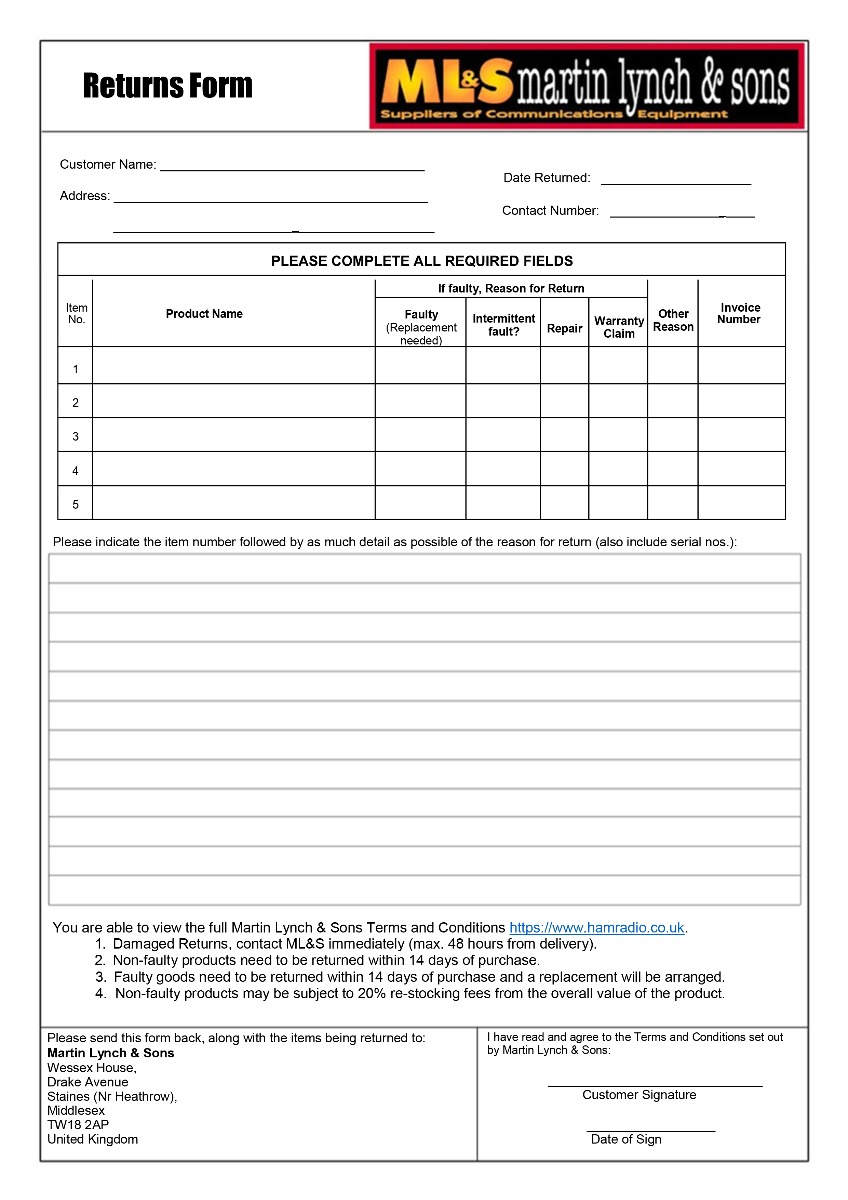
If you have any equipment that needs to be returned to Martin Lynch & Sons, please fill out the form below:
Upon receipt of goods you have 14 days to return goods however the goods must be returned in original packaging and care must have been taken with the goods you wish to return. Under distance selling regulations you are not entitled to any refund on carriage charges or modification charges made at your request. Large items cannot be returned if they have been assembled, unless faulty.
Warranty Terms and Conditions
Outside of the 14 faulty return period, returned items cannot be accepted, unless covered by manufacturer's warranty. We will repair as much as possible on site however in exceptional circumstances products may have to be returned to the manufacturer of distributor.
For repairs/replacements under manufacturer’s warranty for any item please download a ML&S return form from the link above and return to ML&S with the faulty product.
International Warranty information
Warranty service for items we sell is available in the U.K. only, unless otherwise noted. It is your responsibility to pay freight for returned items to the U.K. and back to you for desired warranty coverage. All of our NEW products come with a minimum 12 month warranty, (Yaesu & Icom 24 months), with up to 90 days on second-hand equipment. Items returned for service must state "returned goods for repair" on the return air waybill or U.K. import customs duties apply and will be added to your invoice. For more info about returning items please contact our customer help desk, [email protected]