




Read More

Seen this product cheaper elsewhere?
Call 0345 2300 599



KiwiSDR 2 Standalone Software Defined HF Receiver
Read the QST independent review HERE
As used by commercial organisations and government agencies worldwide
Frequency Range: 0-30MHz
The KiwiSDR 2 is a comprehensive software-defined radio solution, featuring a BeagleBone Green housed in a robust aluminium enclosure. It includes a GPS antenna, automatic self-test software routine & GPS calibrated frequency, ensuring top-notch performance, reliability & accuracy.
Plug & Play Ready No additional computer required. Everything you need to get started is included:
- Simply plug in a Kiwi 5V power supply
- Connect via an Ethernet cable to your network
- Attach an HF Antenna
- Attach the supplied GPS Antenna
Once set up, your KiwiSDR 2 receiver can be made accessible from anywhere in the world via the Internet.
Power Supply Requirements: Requires a 5V 2A DC supply with a standard 5.5mm round connector and a 2.1mm centre hole. For optimal performance, a very low noise power supply is necessary. We recommend using the KiwiSDR power supply listed (not supplied) due to its exceptionally low noise. Avoid cheap clones to prevent performance issues.
Designed and manufactured in New Zealand
New Kiwi Owners:
- KiwiSDR 2 comes with pre-installed software, ready to use out of the box.
- Frequent nightly software updates (1-5AM local time, assuming an internet connection)
- Runs on Debian 11 (Bullseye).
- Every KiwiSDR 2 has an optional & included proxy service enabled by default.
- Remotely accessible, password-protected 'Admin page'
- Customisable Kiwi User Interface:- name, location, and other details on the admin page.
Start your global HF radio experience effortlessly with the KiwiSDR 2.
Introduction to using the KiwiSDR
The KiwiSDR is a software-defined radio that attaches to a Seeed BeagleBone Green (BBG) embedded computer. It is available as the board alone or a more complete version including BBG, GPS antenna and enclosure with the software pre-installed on the BBG.
The Kiwi is different from other SDRs. It is a standalone device that attaches to your local network and is optionally accessed through the Internet. A browser is used to connect to the user interface. Most other SDRs generate raw IQ data and need to be connected directly to a PC or laptop running OS-specific, installed software.
Browsers supported include Firefox, Chrome, Safari and Opera on Windows, Linux and Mac. A version of the interface for mobile devices is under development. Until then the browser interface will work on iPad and Android devices with a large enough display. The Kiwi supports up to four simultaneous connections each with their own independently controlled audio and waterfall channels. An extension interface allows advanced signal decoding directly in the browser interface without installing additional software. The most popular is the integrated WSPR decoder and Time Difference of Arrival (TDoA) signal direction finder. The Kiwi also includes a software-defined GPS receiver used to calibrate the SDR frequency and obtainin time-of-day.
You can access over three hundred KiwiSDRs right now at the site rx.kiwisdr.com The owners of these Kiwis have made them publicly available. We hope you will join them, especially if you live in an interesting part of the world where a Kiwi is not yet located (see map).
Here's how you would typically use a Kiwi. In the images below a yellow arrow will show the buttons and menus to click.
Start by accessing a public Kiwi at rx.kiwisdr.com or one attached to your local network (e.g. my.kiwisdr.com or kiwisdr.local:8073) You should see a webpage similar to the one below. Here we're using the SK3W Contest Station in Sweden. When you've read the "Welcome" message hide it by clicking on the circled arrow at the top right of the purple panel.
Note the waterfall display with a dark blue background. The grey frequency scale above it shows a range of 0 to 30 MHz. There are few signals showing above 12 MHz because it was nighttime at SK3W when this image was taken and those signals are attenuated. The waterfall has 14 levels of zoom. Above the frequency scale is a collection of red and green signal labels and band range indicators. You can click on the labels to tune directly to those frequencies. The individual labels are easier to read when zoomed in. The labels can be edited by the Kiwi owner/administrator to identify signals heard locally.
At lower right is the control panel. Here you will find all the major controls: numeric receive frequency, reception mode (AM, USB, CW, etc.), the waterfall zoom controls (+/- magnifying glasses, max in/out arrows) and adjustments of the waterfall color map (WF max/min). Also shown is an S-meter.

Now let's zoom into the 40 meter Amateur radio band for a closer look. On the "select band" menu select the entry under "Amateur" that says "40m". The waterfall has now zoomed in much closer and signals are easier to see. Click the button with the left/right arrows to zoom in a little further. The click the button marked "Spectrum". The top banner will be replaced with a spectrum display showing signal strength for each waterfall signal.
There are several ways to tune around. You can click in the waterfall, spectrum or label area. Note how the yellow passband in the frequency scale follows and the numeric frequency in the control panel updates. You can also click-drag in the frequency scale and the passband will tune smoothly. The six -/+ buttons in the control panel adjust the frequency in controlled steps. When the mouse hovers over a button the step amount is shown.
There are many more ways to interact with the interface. Experiment and see what you find. For example, click-dragging in the waterfall scrolls without altering the received frequency. Complete documentation is here.
The Kiwi allows software "extensions" selected by the menu at top right of the control panel. It is certainly possible to route the Kiwi audio output from the browser, through a "virtual audio cable" application, and into traditional digital-mode signal processing programs (e.g. MultiPSK, Fldigi, etc.) But we wanted to test the idea of integrating specialized signal decoders directly into the browser-based interface. Without the need to install additional programs on your computer. Current extensions are: signal strength graph, signal integrator, IQ display, Loran-C display and WSPR decoder. More are in development.
The most popular is the WSPR decoder. As shown below a WSPR-specific waterfall and control panel will appear. We've pushed the 40m band button to start the decoding. The pie-shaped blue/white icon is the two minute WSPR acquisition timer. The station spot list will be familiar to anyone who has used tradition WSPR decoding programs. You can click on the callsign or grid location of the received stations. The station distance from the Kiwi is computed. If the Kiwi admin has set a reporter callsign and grid location the decoded spots will be uploaded to wsprnet.org.
The Kiwi website has complete operation and installation information and a FAQ.
In addition to the web interface for Kiwi listeners there is a webpage based administrative interface for the Kiwi owner (kiwisdr.local:8073/admin). This is used to configure all aspects of the Kiwi setup. Including what to display in the top banner fields, rx.kiwisdr.com registration information, network configuration, GPS receiver status and access passwords.
Each day the Kiwi will automatically download and install any new software updates found on the Github project site (unless configured not to). Bug fixes and new features are being released frequently. There is an active user community that has supplied software improvements and suggestions: forum
Shipping & Delivery
We offer UK and international delivery services, including next working day and selected weekend options for eligible orders. Available services, prices and estimated delivery times are displayed at checkout.
Delivery Information
Delivery options depend on the parcel's size, weight, contents and destination. Express and weekend services are subject to availability and cut-off times. Oversized or exceptionally heavy items may require a specialist delivery quotation.
Returns & Cancellations
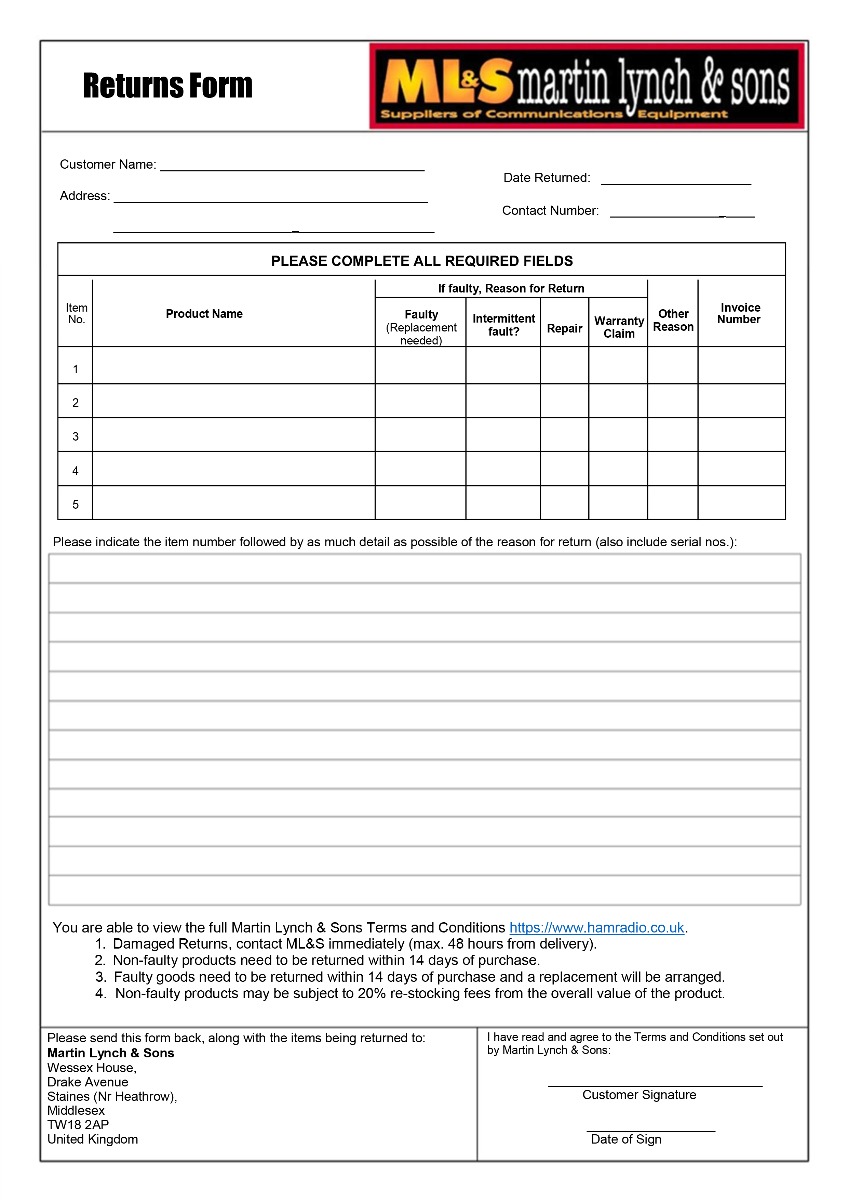
To arrange a return, please contact ML&S or complete our returns form. You may also exercise your statutory right to cancel by email or another clear statement, without completing the form.
Changed Your Mind?
Under the Consumer Contracts Regulations 2013, most purchases made online or by telephone can be cancelled within 14 days of receipt.
You must notify us of your cancellation within this period and return the goods within a further 14 days.
Please handle all goods with care. Returned items must be in a resaleable condition, complete with their original packaging, and all supplied accessories.
You may inspect goods as you would in a shop. Handling beyond what is necessary to inspect them may result in a lawful deduction for diminished value.
Exceptions
Modified Equipment & Reversal Charges
Additional return conditions may apply to equipment modified at the customer's request, including wideband transmit or receive modifications.
ML&S may charge a reasonable fee to reverse physical modifications and restore the equipment to its original factory specification. Any such charge will be agreed in advance and deducted from your refund.
Custom-Made Cable Assemblies
Coaxial cable assemblies manufactured to a customer's specifications are excluded from the 14-day return policy and are non-refundable unless faulty.
Software & Labour Charges
Labour and modification charges requested by the customer are non-refundable once the work has been completed.
Computer software may only be returned under the 14-day return policy if it remains sealed and unopened.
Return Postage Charges
Customers are responsible for the direct cost of returning unwanted or incorrectly ordered goods, where permitted by law. You may arrange your own suitable return postage or use one of our optional prepaid services.
Standard Parcels
Royal Mail Return Label
£5.95
Per parcel
For eligible standard-sized parcels, subject to Royal Mail restrictions. Free collection included.
Larger Parcels
DPD Return Label
£7.95
Per parcel
For larger or heavier parcels and any shipments with batteries.
Collection Service
DPD Collection
£25.00
Per parcel
Available upon request for eligible addresses, subject to availability.
Prepaid return charges will be confirmed before booking and deducted from your refund.
These prices apply to eligible UK mainland returns. Oversized items, specialist products and returns from other destinations may require a separate quotation. Estimated return costs will be disclosed before purchase.
Faulty or Incorrectly Supplied Goods
Return postage charges do not apply to faulty, damaged or incorrectly supplied goods returned under statutory rights. ML&S will arrange a free return in these circumstances.
Refunds
Refunds are processed without undue delay following receipt and inspection of returned goods, and no later than 14 days after we receive goods returned under statutory cancellation rights.
Refunds will be issued to the original payment method. Any prepaid return postage charges or lawful deductions for diminished value will be itemised.
Warranty Terms & Conditions
New Equipment Warranty
Minimum 2-Year Warranty
All new products supplied by ML&S carry a minimum two-year warranty against manufacturing defects, excluding batteries, which are covered by separate warranty terms.
Some manufacturers provide extended warranties, such as the three-year warranty available on eligible Yaesu equipment. Any additional coverage is subject to the manufacturer's terms and conditions.
Our workshop may assess and repair faulty equipment on site or refer it to the manufacturer or an authorised service centre where necessary.
Warranty exclusions may include batteries, normal wear and tear, accidental damage, misuse and unauthorised modifications, as specified in the applicable warranty terms.
All warranties are provided in addition to your statutory consumer rights against ML&S, which are not limited by the warranty period.
International Returns & Warranty
Unless otherwise stated, ML&S warranty servicing is carried out in the UK. International customers must contact us before returning goods to confirm shipping and customs requirements.
International customers are responsible for return postage unless the goods are faulty and ML&S has been notified within a reasonable time.
ML&S accepts no responsibility for additional charges resulting from incorrectly completed customs documentation. Any additional duties charged to ML&S as a result will be billed to the customer before return of the goods.
Need Help With a Return?
Our team can assist with returns, postage arrangements, modifications and warranty claims.
Nothing in these terms excludes or limits your statutory consumer rights.